
Redux Devtools Filterable Log Monitor
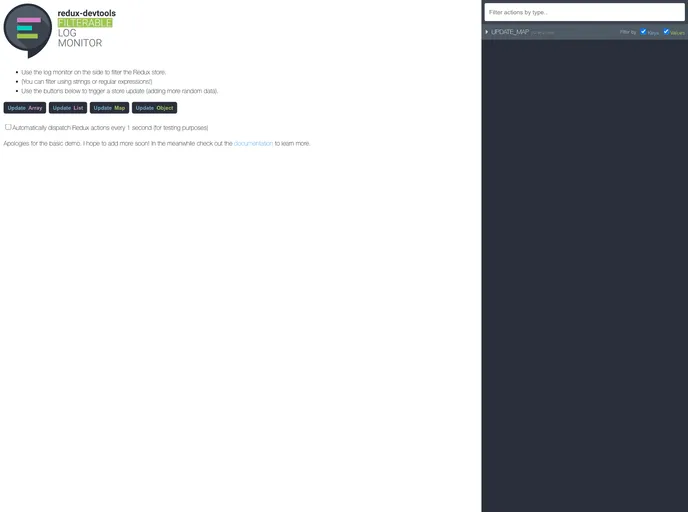
Filterable tree view monitor for Redux DevTools
Overview
The Redux Devtools Filterable Log Monitor offers an innovative way to visualize state changes in your Redux applications. This powerful logging tool enhances the traditional Redux DevTools by providing a filterable tree view that allows developers to monitor actions and state mutations more efficiently. With its intuitive interface, it streamlines debugging and makes it easier to track complex state changes during development.
This tool is particularly beneficial for developers who are looking for a more organized way to sift through their application logs, enabling them to focus on relevant events without getting overwhelmed by noise. Whether you are working on a small project or a large-scale application, the Filterable Log Monitor can significantly improve your workflow by making it simpler to manage Redux state.
Features
- Filterable Tree View: Easily navigate through actions and state changes using a collapsible tree structure that allows for quick filtering of logs.
- Contextual Highlighting: Visually distinguish between different types of actions and their corresponding state changes, making it easier to spot issues.
- Customizable Filters: Set up specific filters based on action types or payloads to focus on the most relevant data for your debugging needs.
- Real-time Updates: Instantaneous display of changes in the state tree as you perform operations in your application, ensuring you have the most up-to-date information at your fingertips.
- User-friendly Interface: Enjoy a clean and intuitive design that minimizes distractions while maximizing productivity during your debugging sessions.
- Enhanced Debugging: Detailed logging of actions and state changes allows for precise tracking of the application's behavior, helping to diagnose problems more effectively.