
NebulUS Astrology
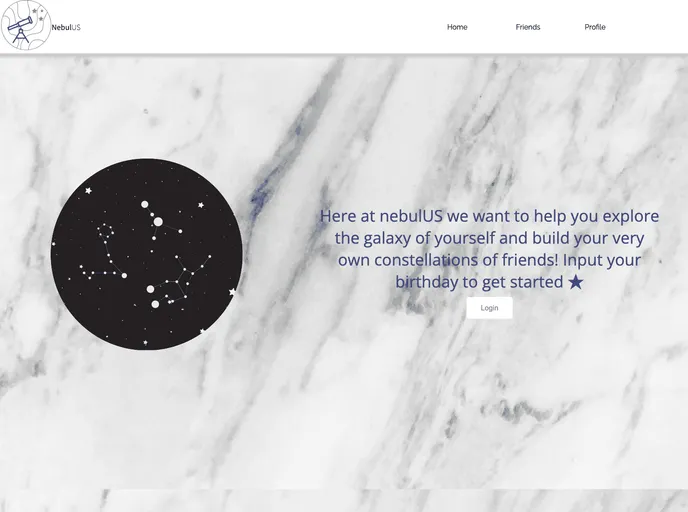
Astrology app, with birth chart calculation based on your time and place of birth.
Overview
Deploying a database to Atlas and setting up your app can be a straightforward process if you follow the right steps. This guidance is essential for developers looking to leverage MongoDB with services like Heroku and Netlify. By taking care of the configuration details in the .env file and ensuring that your build commands are set up correctly, you'll set a solid foundation for your application.
Features
-
MONGODB_URI Configuration: Easily set up your database connection by adding the MONGODB_URI environment variable in your .env file. This ensures your app can communicate with the MongoDB Atlas.
-
Heroku App Creation: Quickly create a new application on Heroku, using either the dashboard or CLI, allowing for flexible deployment options.
-
Config Vars Management: Simplify environment variable management by adding .env variables in the Heroku app settings, ensuring that your application configurations are kept secure.
-
Netlify Integration: Seamlessly import your repository into Netlify. This offers a smooth path to integrate with a continuous deployment system for your frontend.
-
Build Command Setup: Optimize your Netlify build process with a specific command (
cd frontend && npm i && npm run build) to ensure your frontend is correctly compiled before deployment. -
Publish Directory Configuration: Define the output directory for your built files in Netlify by setting it to
frontend/build, simplifying the routing to your deployed assets. -
Environment Variable Management for Frontend: Add necessary frontend .env variables in Netlify and ensure that the CI variable is set to false, which is critical for successful deployments.
-
Dynamic Server Configuration: Set the REACT_APP_SERVER_URL to point to your Heroku app’s API endpoint, allowing your frontend to make API calls seamlessly.
By adhering to these outlined features, you can streamline your deployment process and enhance the reliability of your MongoDB powered applications.