
Notes Docsify
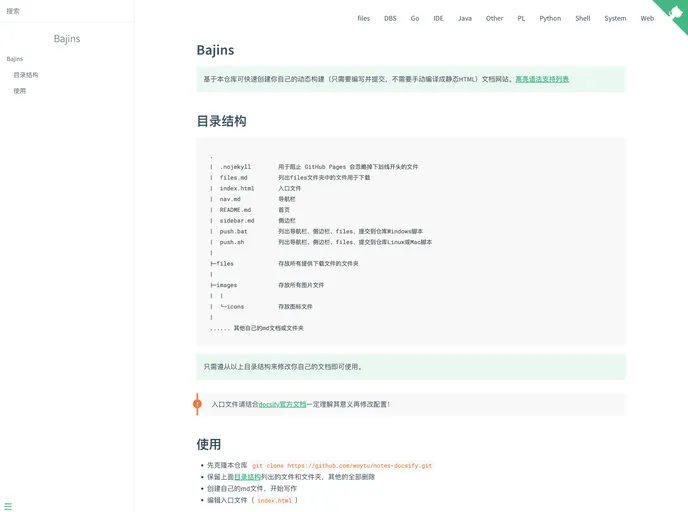

这是一个用docsify构建的文档
Overview
The document provides a comprehensive guide for creating a dynamic documentation website using the Docsify framework. This can be particularly useful for those who want a straightforward way to showcase their projects without the hassle of manually compiling static HTML files. With this approach, users can focus on content creation while leveraging the power of automated processes.
The instructions emphasize the importance of following the correct directory structure and understanding the configuration files before making modifications. This resource is perfect for developers looking to streamline their documentation process while maintaining a professional appearance.
Features
-
Dynamic Builds: Quickly set up your documentation website without manual compilation into static HTML, making content updates seamless.
-
Syntax Highlighting: Supports syntax highlighting for a more visually appealing way to present code snippets in your documentation.
-
Directory Structure Guidance: Provides a clear directory structure that you can modify to fit your own document needs, ensuring consistency and organization.
-
Comment System Examples: Includes multiple examples of a comment system, allowing you to customize interaction within your documentation.
-
Git Integration: Instructions on adding hooks enable you to automate part of your workflow, making the process of pushing changes more efficient.
-
Cross-Platform Compatibility: Offers guidance for both Windows and Linux/Mac environments, ensuring that users on different platforms can set up their documentation easily.
-
GitHub Pages Support: Guidance for enabling GitHub Pages for hosting your documentation site directly from your GitHub repository.
- Docsify
Docsify generates your documentation website on the fly. Unlike GitBook, it does not generate static html files. Instead, it smartly loads and parses your Markdown files and displays them as a website. To start using it, all you need to do is create an index.html and deploy it on GitHub Pages.