
Kiko Now
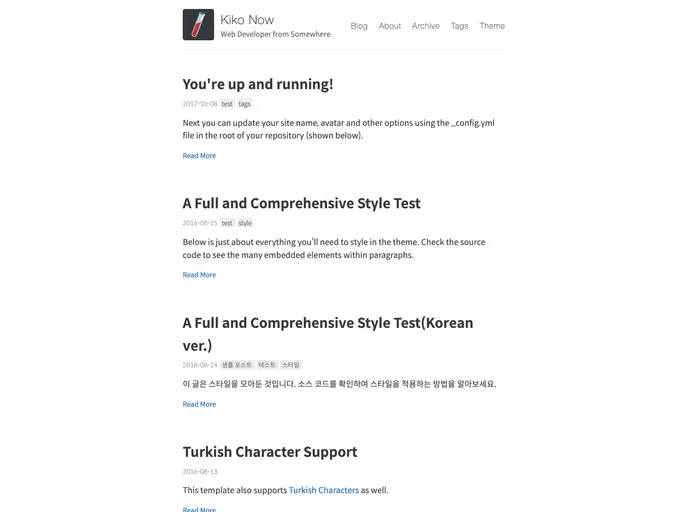
Build a Jekyll blog in minutes, without touching the command line.
Overview
Kiko Now is a Jekyll theme based on Jekyll Now, a static site generator perfect for GitHub hosted blogs. It aims to simplify the process of creating a Jekyll blog by eliminating the need for upfront setup. This theme follows the philosophy of Jekyll Now and allows users to easily customize their blog and add features like Google Analytics tracking, Disqus commenting, and social icons. By following a few simple steps, users can have their Jekyll blog up and running quickly.
Features
- Simplified setup process: Kiko Now eliminates the need for upfront setup, making it easier for users to create their Jekyll blog.
- Customization options: Users can easily customize their site name, description, avatar, and more by editing the _config.yml file. They can also enable Google Analytics tracking, Disqus commenting, and social icons.
- Multiple ways to make changes: Users have the option to edit files directly in the browser on GitHub.com, use a third-party GitHub content editor, or clone their repository and make updates locally.
- Easy publishing: Users can publish their first blog post by editing the /_posts/2017-10-08-hello-world.md file. Additional posts can also be created in the browser on GitHub.com.
- Local development: Kiko Now provides instructions on how to install Jekyll and plugins on the local machine, allowing users to develop and preview changes before publishing.
Installation
To install Kiko Now theme, follow these steps:
Step 1) Fork Jekyll Now to your User Repository
- Fork the Jekyll Now repository.
- Rename the repository to yourgithubusername.github.io, where "yourgithubusername" is your actual GitHub username.
- Your Jekyll blog should be viewable at https://yourgithubusername.github.io. If not, complete step 2.
Step 2) Customize and view your site
- Edit the _config.yml file to customize your site name, description, and other options.
- Enable additional features like Google Analytics tracking and Disqus commenting in the _config.yml file.
- Changes to any file in your repository will force GitHub Pages to rebuild your site with Jekyll. Your rebuilt site will be viewable at https://yourgithubusername.github.io.
Step 3) Publish your first blog post
- Edit the /_posts/2017-10-08-hello-world.md file to publish your first blog post. Use Markdown syntax to format your content.
- Additional posts can be created by clicking the + icon in /_posts/ on GitHub.com.
Step 4) Local development
- Install Jekyll and plugins on your local machine using the command: gem install github-pages.
- Clone your forked repository to your local machine using: git clone https://github.com/yourusername/yourusername.github.io.git.
- Make changes to your blog locally and preview them by running the command: jekyll serve.
- View your website at http://127.0.0.1:4000/.
- Commit your changes and push them to the master branch of your GitHub user repository. GitHub Pages will rebuild and serve your website.
Summary
Kiko Now is a Jekyll theme that simplifies the process of creating a Jekyll blog by eliminating upfront setup. It offers customization options, multiple ways to make changes, easy publishing of blog posts, and instructions for local development. By following the provided steps, users can easily set up and customize their Jekyll blog.