
Epictetus
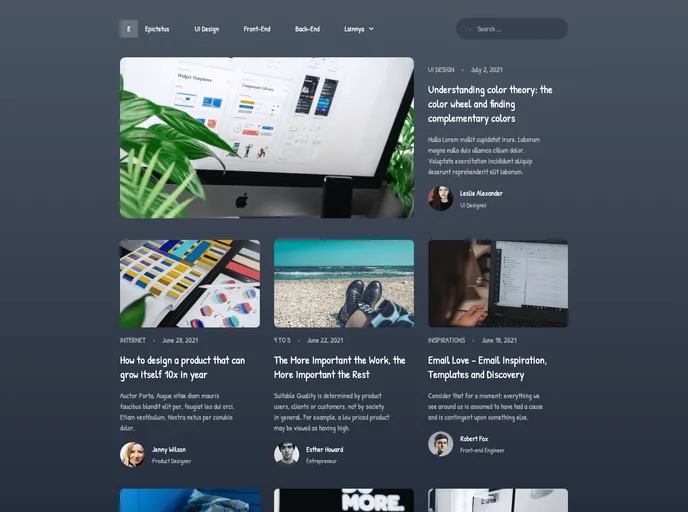


Next JS Blog Template
Overview:
This article showcases an example of integrating Tailwind CSS (v2.2) with Next.js. The example follows the guidelines provided in the official Tailwind documentation, utilizing the Just-in-Time Mode for Tailwind CSS. It also provides options for previewing and deploying the example.
Features:
- Next.js and Tailwind CSS Integration - Demonstrates the integration of Tailwind CSS with Next.js, offering a powerful combination of frontend frameworks.
- Just-in-Time Mode - Utilizes the new Just-in-Time Mode for Tailwind CSS, providing improved performance and reduced production bundle sizes.
- Live Preview on StackBlitz - Allows users to preview the example live on StackBlitz, providing a hands-on experience of the integration.
- Deployment with Vercel - Provides a seamless deployment process using Vercel, simplifying the hosting of the integrated application.
Summary:
This article demonstrates the integration of Tailwind CSS with Next.js using an example that follows the official Tailwind documentation. It showcases the use of Just-in-Time Mode for Tailwind CSS and provides options for live preview and deployment using StackBlitz and Vercel, respectively. By following the installation guide, developers can quickly set up and deploy their own customized application with Next.js and Tailwind CSS.
- Next.js
Next.js is a React-based web framework that enables server-side rendering, static site generation, and other powerful features for building modern web applications.
- React
React is a widely used JavaScript library for building user interfaces and single-page applications. It follows a component-based architecture and uses a virtual DOM to efficiently update and render UI components
- Tailwind
Tailwind CSS is a utility-first CSS framework that provides pre-defined classes for building responsive and customizable user interfaces.
- Templates & Themes

A template or theme refers to a pre-designed layout or structure that provides a basic framework for building a specific type of application or website. It typically includes good design, placeholder content and functional features, allowing developers to customize and fill in the details according to their specific needs.
- Postcss

PostCSS is a popular open-source tool that enables web developers to transform CSS styles with JavaScript plugins. It allows for efficient processing of CSS styles, from applying vendor prefixes to improving browser compatibility, ultimately resulting in cleaner, faster, and more maintainable code.