
Flask Sb Admin
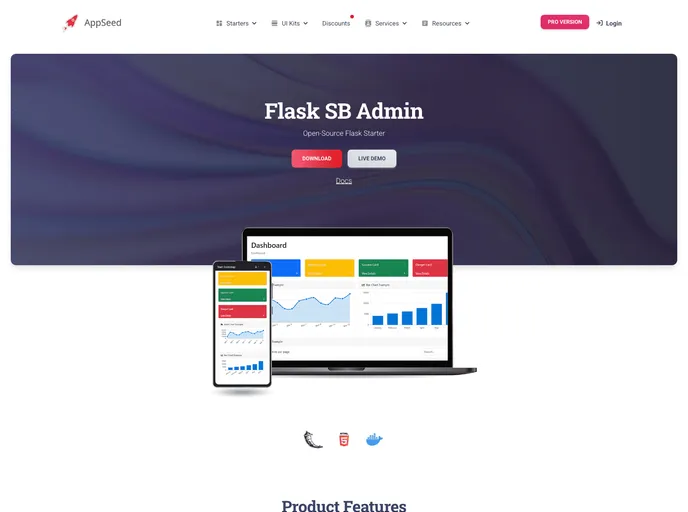
Flask Dashboard - SB Admin | AppSeed
Overview
SB Admin Flask is an open-source Flask dashboard generated by AppSeed. It is built on top of the Bootstrap framework and provides a range of responsive and reusable components. With features such as up-to-date dependencies, session-based authentication, and database tools, SB Admin Flask is a comprehensive solution for creating admin dashboards and control panels.
Features
- Up-to-date dependencies
- Database: SQLite
- DB Tools: SQLAlchemy ORM, Flask-Migrate (schema migrations)
- Session-Based authentication (via flask_login), Forms validation
- Docker support
Step 1 - Download the code
Download the code from the GitHub repository using Git.
Step 2 - Start the app in Docker
Start the app in Docker by running the following command:
$ docker-compose up
Visit http://localhost:5085 in your browser, and the app should be up and running.
Set Up for Unix, MacOS
- Install modules via VENV.
- Set up Flask environment.
- Start the app.
The app will now run at http://127.0.0.1:5000/.
Set Up for Windows
- Install modules via VENV (Windows).
- Set up Flask environment.
- Start the app.
The app will now run at http://127.0.0.1:5000/.
Create Users
By default, the app redirects guest users to authenticate. To access the private pages, follow this setup:
- Start the app via
flask run. - Access the registration page and create a new user: http://127.0.0.1:5000/register.
- Access the sign-in page and authenticate: http://127.0.0.1:5000/login.
Summary
SB Admin Flask is a feature-rich open-source Flask dashboard that is easy to install and use. With its up-to-date dependencies, database tools, and session-based authentication, it provides a robust solution for creating admin dashboards and control panels. Its Docker support also simplifies deployment. Overall, SB Admin Flask is a valuable tool for developers looking to build responsive and reusable dashboards in Flask.