
Flask Argon Dashboard2 Pro
Flask Argon2 Dashoard PRO - Premium Flask Starter | AppSeed
Overview
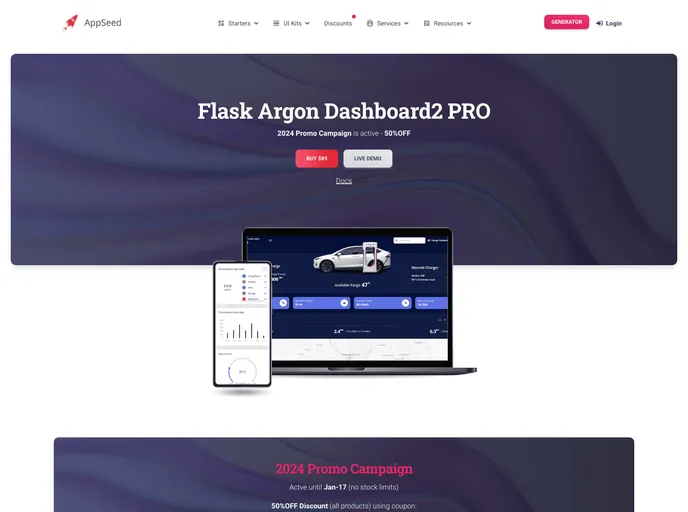
Flask Argon2 Dashboard PRO is a Flask starter styled with Argon Dashboard PRO, a premium Bootstrap 5 KIT from Creative-Tim. This product is designed to provide users with the best possible experience by offering highly customizable and feature-rich pages.
Features
- Up-to-date dependencies
- UI Kit: Argon Dashboard 2 (BS5 Version) by Creative-Tim
- Database: SQLite, MySql
- Silent fallback to SQLite
- DB Tools: SQLAlchemy ORM, Flask-Migrate
- Session Based Authentication, Change Password
- Docker, Flask-Minify (page compression)
- Deployment: CI/CD flow via Render
- Argon Dashboard 2 PRO - Charts Page (Premium Bootstrap 5 Design)
- Code-base structure: The project is coded using blueprints, app factory pattern, dual configuration profile (development and production), and an intuitive structure.
Start in Docker
- Download & Unzip the code (requires a purchase from the official product page)
- Start the APP in Docker
- Visit http://localhost:5085 in your browser. The app should be up & running.
Manual Build
- Download & Unzip the code (requires a purchase from the official product page)
- Set Up for Unix, MacOS
- Install modules via VENV
- Set Up Flask Environment
- Edit .env using env.sample or simply export the variables in the environment. The expected values are:
- DEBUG: controls the Development, Production mode (default: False)
- SECRET_KEY: optional, random value used if not provided
- DB credentials: Note that if not provided or incorrect values are provided, SQLite is used
- DB_ENGINE, DB_HOST, DB_NAME ...
- Start the app. At this point, the app runs at http://127.0.0.1:5000/.
Summary
Flask Argon2 Dashboard PRO is a Flask starter that utilizes Argon Dashboard PRO style and offers highly customizable and feature-rich pages. It provides an up-to-date and efficient development environment with various deployment options. The code-base is well-organized and follows industry-standard patterns for scalability and maintainability.