
Video Player TailwindCss
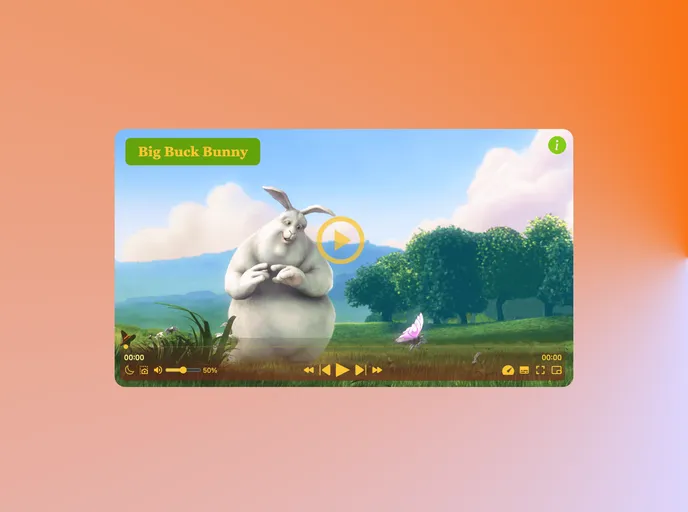

Video Player + Tailwind
Overview
The Project Video Player is a robust tool designed for learning and playing videos seamlessly with an aesthetic that resonates with modern web design standards. Built using HTML5, CSS3, JavaScript, and Tailwind, this player caters to different user preferences and enhances the overall video watching experience. Whether you are a developer looking to integrate a video player into your application or a learner diving into JavaScript, this player is an excellent resource.
Features
- Responsive Design: Adaptable to various screen sizes, ensuring an optimal viewing experience on desktops, tablets, and mobile devices.
- Dark Mode: Offers a sleek dark interface, reducing eye strain during late-night viewing sessions.
- Play/Pause Functionality: Simple controls for starting and pausing playback at any moment.
- Volume Control: Easy management of audio levels to fit personal preferences.
- Fullscreen Mode: Transition to a full-screen view for a more immersive watching experience.
- Playback Speed Adjustment: Flexible speed controls, allowing users to slow down or speed up playback as needed.
- Subtitle Support: Access to subtitles enhances accessibility and understanding of the content.
- Keyboard Shortcuts: Convenient shortcuts for enhanced navigation and control without needing to use the mouse.
- Tailwind
Tailwind CSS is a utility-first CSS framework that provides pre-defined classes for building responsive and customizable user interfaces.
- Dark Mode
Dark mode is a user interface option that uses a dark color scheme instead of light. It reduces eye strain and improves visibility in low-light conditions. Implementing dark mode in a website or application involves updating the styles and color palette to support both light and dark modes.