
Social Blade Dashboard C WPF
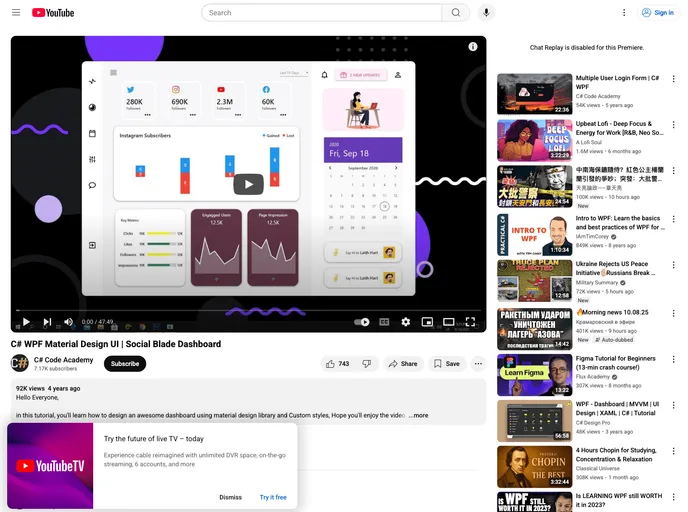

Youtube Tutorial to design Material Design Social Blade Dashboard using material design XAML toolkit
## Overview
The Social Blade Dashboard designed using the Material Design XAML Toolkit presents a sleek and modern interface that enhances user experience when analyzing social media statistics. This tutorial focuses on utilizing the toolkit to create an appealing and functional dashboard that users can easily navigate, making it perfect for social media enthusiasts and analysts.

By following the step-by-step guidance in the tutorial, users gain insight into the capabilities of the Material Design XAML Toolkit and how it can be leveraged to build a professional-looking application. Whether you're a developer looking to enhance your skills or simply interested in tracking your social media metrics, this approach to dashboard design is both informative and engaging.

## Features
- **Modern Aesthetic**: Embraces Material Design principles to create a visually appealing user interface that is both modern and user-friendly.
- **User-Friendly Navigation**: Incorporates intuitive navigation elements that make it easy for users to interact with various features and data points.
- **Responsive Elements**: Adapts to different screen sizes and resolutions, ensuring a seamless experience across devices.
- **Customizable Themes**: Allows users to modify color schemes and layouts, providing flexibility to suit individual preferences or branding needs.
- **Data Visualization**: Integrates sophisticated data visualization tools that help users easily interpret and analyze social media performance metrics.
- **Real-time Updates**: Offers capabilities for real-time data updates, keeping the statistics current and relevant for users.
- **Accessibility Features**: Designed with accessibility in mind, ensuring that all users, regardless of ability, can navigate and utilize the dashboard effectively.
- Material UI
material-ui adds classes to Tailwind CSS for all common UI components. Classes like btn, card, etc. This allows us to focus on important things instead of making basic elements for every project.
- Dashboard

A dashboard style website template is a pre-designed layout that features a user interface resembling a control panel or dashboard. It typically includes charts, graphs, tables, and other data visualization tools that allow users to monitor and analyze data in real-time.
- Material Design

Material Design is a design system developed by Google that provides a set of guidelines, components, and tools for creating visually appealing and functional user interfaces. Material Design is designed to be flexible and customizable, making it a great choice for a wide range of applications and use cases.