
Jekyll Algolia Example
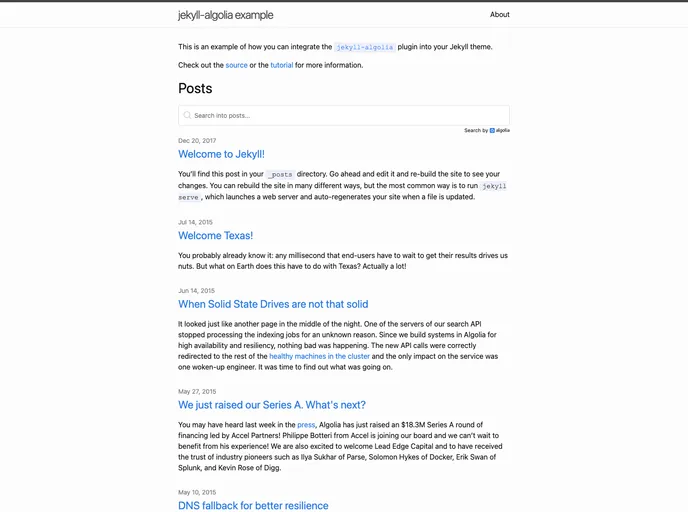
Front-end example of the jekyll-algolia plugin
Overview
The integration of Algolia with Jekyll provides an excellent opportunity for developers and website owners to enhance their site's search functionality. The jekyll-algolia-example serves as a practical guide to implementing this powerful plugin within the default Jekyll theme, showcasing how seamless the integration can be.
By using this example, users can better understand how Algolia’s robust search capabilities can improve user experience on a Jekyll-powered site. Whether you're looking to boost performance or enhance search relevance, this tutorial opens doors to a more dynamic web presence.
Features
- Seamless Integration: Effortlessly add Algolia search capabilities into any Jekyll site with minimal configuration.
- Enhanced Search Functionality: Provide your users with lightning-fast search results, improving site navigation and engagement.
- User-Friendly Tutorial: Step-by-step instructions make it accessible even to those with limited coding experience.
- Customizable Settings: Tailor search behaviors and appearances to align with your site's unique branding.
- Real-Time Updates: Keep search indexes updated automatically as you add or modify content, ensuring users always get the latest results.
- Responsive Design: Works smoothly across devices, offering an optimal search experience for all users, whether on mobile or desktop.
- Robust Support: Benefit from an active community and comprehensive documentation, making troubleshooting and enhancements a breeze.