Personal Portfolio
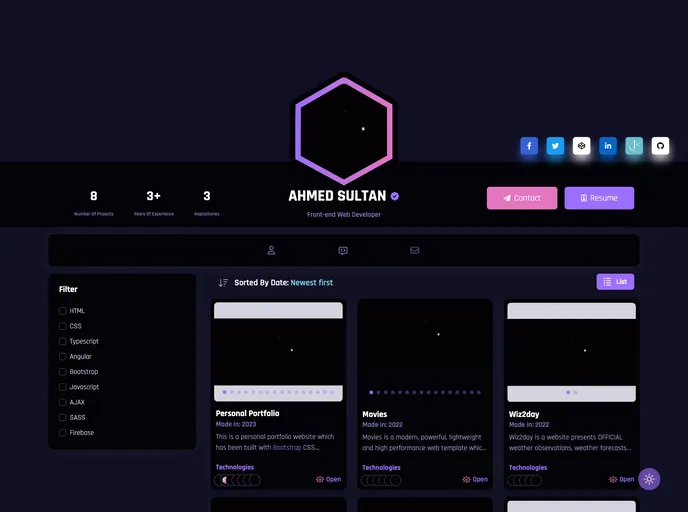
This is a personal portfolio website which has been built with Bootstrap CSS Framework & Angular javascript framework with Firebase. It's fully responsive and looks stunning on any devices.
Overview:
The Personal Portfolio - v1.0.0 is a personal portfolio website built using the Bootstrap CSS Framework and Angular JavaScript framework with Firebase. It is a fully responsive website that is designed to look stunning on any device. The website features a modern UI design with reveal animations and a multi-page layout.
Features:
- Modern UI Design + Reveal Animations: The website has a modern and visually appealing user interface design with reveal animations to enhance the user experience.
- Multi Page Layout: The website uses a multi-page layout, allowing users to navigate through different sections easily.
- Styled with Bootstrap + Custom SCSS: The website is styled using the Bootstrap CSS framework and custom SCSS (Sass) to ensure a consistent and visually appealing design.
- Fully Responsive: The website is fully responsive and optimized for different screen sizes, ensuring it looks good on any device.
- Valid HTML5 Structure: The website follows a valid HTML5 structure, making it compliant with web standards.
- Dark mode: The website offers a dark mode option for users who prefer a darker color scheme.
- Clean code & high performance: The website has clean and well-structured code, resulting in high performance and improved maintainability.
- SEO Friendly code: The website's code is optimized for search engines, ensuring better visibility and ranking in search results.
Summary:
The Personal Portfolio - v1.0.0 is a personal portfolio website built using Bootstrap CSS Framework and Angular JavaScript framework with Firebase. It offers a modern UI design with reveal animations, a multi-page layout, and is fully responsive. The website has clean code, high performance, and is optimized for search engines. It also includes a dark mode option for users. Installation is straightforward by cloning the GitHub repository and running the necessary commands.