
Eleventy Auto Navigation
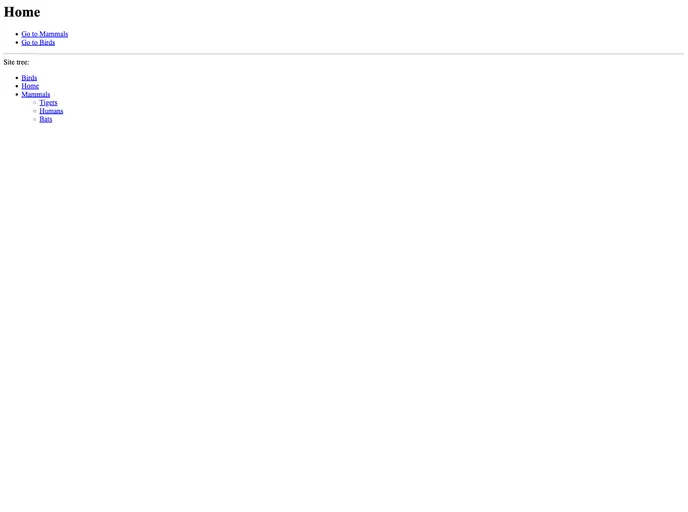
Directory structure-based navigation for eleventy-plugin-navigation
Overview
Navigating through a website can be complex, especially when content is organized in a hierarchical manner. The eleventy-auto-navigation addresses this by automating the setup of a navigation structure that reflects your site's directory structure. Built on the Eleventy Navigation plugin, it harnesses the power of computed data to streamline the creation of an intuitive navigation system, ensuring that users can easily find their way around your site.
With a focus on setting the key and parent values based on unique URL paths, this tool goes a long way in enhancing site navigability, while also offering customization options to order your content according to your needs. Whether you're a seasoned developer or just starting with Eleventy, this approach is designed to simplify your navigation setup without a steep learning curve.
Features
- Automated Structure: Automatically configures navigation according to your site's folder structure, saving you time and effort in organizing content.
- Unique Paths: Utilizes URL paths to define key and parent values, which eliminates potential conflicts that can arise from using page titles.
- Custom Order Management: Allows you to specify an order property in frontmatter, enabling you to manually override the default sort order of sibling pages.
- Computed Data Integration: Leverages Computed Data to simplify the navigation setup, making the process seamless and efficient.
- Flexibility with Hierarchies: Supports complex hierarchical structures, making it ideal for sites with deep content organization.
- Development-Friendly: Easy to implement, enabling developers to get started with minimal fuss and configuration.
- Real-time Monitoring: Offers logging features to track changes and the overall navigation structure, ensuring transparency and ease of troubleshooting.