Dashboard
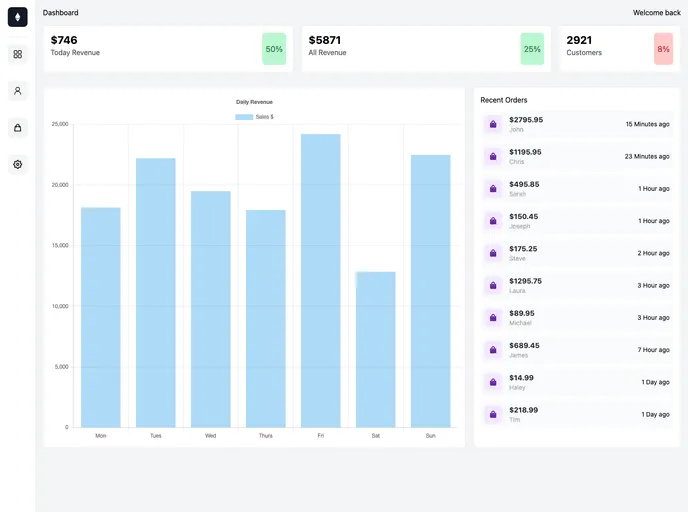
Dashboard template in NextJs & TailwindCSS
Overview:
This document provides a product analysis of a Next.js project bootstrapped with create-next-app. It includes information on how to get started with the development server, editing the pages, accessing API routes, and using next/font for font optimization. Additionally, it provides resources for learning more about Next.js and deploying the app using the Vercel Platform.
Features:
- Next.js Project: A project bootstrapped with create-next-app.
- Development Server: Run the development server to preview the app on http://localhost:3000.
- Page Editing: Modify the pages/index.js file to edit the page content.
- API Routes: Access API routes on http://localhost:3000/api/hello and edit the endpoint in pages/api/hello.js.
- next/font: Automatically optimize and load Inter, a custom Google Font.
- Next.js Documentation: Learn about the features and API of Next.js.
- Learn Next.js: Interactive tutorial for learning Next.js.
- Next.js GitHub Repository: Find the Next.js repository for further feedback and contributions.
- Vercel Deployment: Use the Vercel Platform for easy deployment of the Next.js app.
Summary:
This product analysis provides an overview of a Next.js project bootstrapped with create-next-app. It highlights key features such as the development server, page editing, API routes, and font optimization using next/font. The analysis also includes instructions for installing and running the project, as well as additional resources for learning more about Next.js and deploying the app using the Vercel Platform.