
Nginx UI
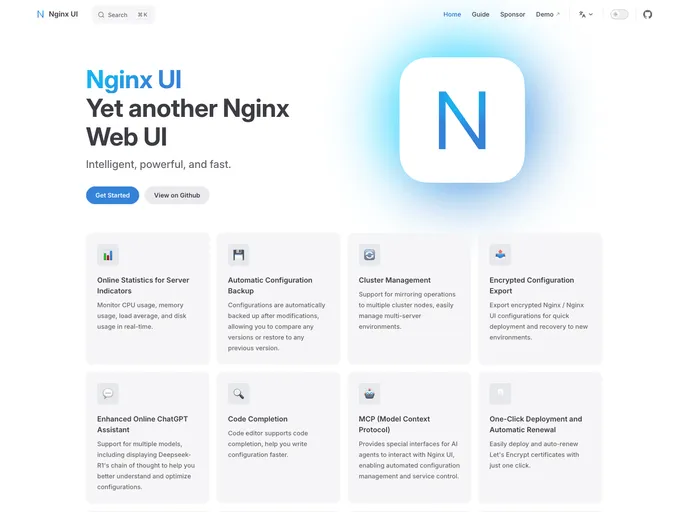

Yet another WebUI for Nginx
Overview
Nginx UI offers a streamlined web interface to manage your Nginx server effortlessly. This user-friendly tool aims to simplify the complex configurations of Nginx, making it accessible for both beginners and seasoned users alike. With its modern interface, Nginx UI provides a convenient way to control your web server without delving deeply into command-line intricacies.
Features
- Intuitive Interface: Nginx UI boasts a clean and well-organized layout, enabling users to navigate settings with ease.
- Real-Time Monitoring: Keep an eye on your server’s performance and traffic in real-time, ensuring optimal operation of your web services.
- Configuration Management: Modify and manage server configurations directly through the UI, reducing the chance for errors that often come with manual entries.
- User Management: Effortlessly manage multiple users with various access levels, enhancing security and control over your server.
- File Uploads: The ability to upload configuration files directly makes it easier to apply changes without relying solely on FTP or SSH access.
- SSL Management: Simplify the process of setting up and managing SSL certificates, providing better security for your web applications.
- Logs Access: Easily access and analyze Nginx error and access logs directly from the UI, allowing for quicker troubleshooting and maintenance.
- Vue
Vue.js is a lightweight and flexible JavaScript framework that allows developers to easily build dynamic and reactive user interfaces. Its intuitive syntax, modular architecture, and focus on performance make it a popular choice for modern web development.
- Docker

A website that uses Docker for containerization to streamline development, testing, and deployment workflows. This includes features such as containerization of dependencies, automated builds and deployments, and container orchestration to ensure scalability and availability.